
Put serialized control in every operator's hand.
Movilitas Mobile brings scanning, verification, commissioning and decommissioning to standard iOS and Android devices. Each scan updates the serialized record in Movilitas.Cloud, so work done at the dock, on the packing bench or in the pharmacy is visible to the rest of the supply chain immediately.
%201.svg)
A scan is only useful when the right systems receive it.
Serialized products are handled by many people who are not sitting at a workstation. Movilitas Mobile gives them a controlled way to capture and check serialized data where the work happens, without dedicated hardware projects or manual re-entry.
WHEN SCANNING SITS OUTSIDE THE PROCESS
Operators capture data that does not reach the record.
WITH MOVILITAS.CLOUD
Every scan becomes part of the serialized record.
Everything operators need to handle serialized goods.
Activate the functions each operator needs, based on their role, site and the applications your organisation uses.


Capture serialized data where products are handled.
Use standard mobile devices to record receipts, shipments and container contents without waiting for fixed scanning stations or back-office entry.
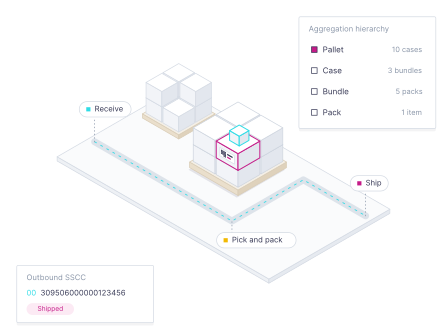
Scan inbound and outbound deliveries at every packaging levels
Assign operators to warehouses and restrict devices to specific sites
Record scans directly against the serialized record in Movilitas.Cloud
Review scan details and alerts, and export results to CSV
%202.svg)
Know the status of a pack before it moves on.
Give operators the answer they need at the moment of handling, whether they are receiving a return, checking a suspect product or preparing goods for dispatch.
Verify packs against national verification systems under the EU FMD
Verify items against SAP ATTP in distributor warehouses
Decommission or reactivate packs from the device
Display clear responses and alerts for immediate follow-up
Commission products where lines are not automated.
Not every packaging operation runs on a fully integrated line. Movilitas Mobile lets operators confirm the output of manual or semi-automated serialization by scanning the labels they have applied.
Scan printed labels on cartons and containers for commissioning
List scanned items for review before commissioning to the market
Support CMOs and smaller sites without dedicated line integration
Keep commissioning activity connected to the batch and packaging order
DSCSA verification from a single scan.
Movilitas DSCSA is a free mobile app that lets authorized trading partners route verification requests to manufacturers and repackagers through the Verification Router Service.
Verify saleable returns, respond to traceability alerts or run spot checks
Link every request to the user's verified identity and Authorized Trading Partner status
Request the required digital credentials through the app if you do not yet hold them
Use the app without setup fees or subscriptions
Move from device setup to trusted scan data.
Movilitas.Cloud gives regulated supply chains the capabilities of an enterprise serialization platform without forcing every requirement into an enterprise implementation project.
Add users and devices
Create mobile users and assign them to warehouses or sites.
Start the operator session
Operators access only the functions their role requires.
Capture serialized data
Scan packs, cases and pallets during daily work.
Verify, commission or decommission
Complete the required action based on the returned status.
Follow up with full history
Review scans, alerts and exports when questions arise.
Start where manual handling creates the most risk.
Movilitas Mobile runs on standard iOS and Android devices and is configured through the Movilitas.Cloud applications your organisation already uses.

Identify scanning points
List the sites, docks and benches where serialized goods are handled.

Prioritise the first use case
Start with receiving, verification or manual commissioning.

Roll out across sites
Add users, devices and warehouses as adoption grows.
Movilitas Mobile, made clearer.
The functions available on the device depend on the Movilitas.Cloud applications and markets configured for your organisation.
Movilitas Mobile is available for iOS and Android through the app stores. Your organisation's supported device list is confirmed during setup.
Movilitas Mobile is the scanning interface for Movilitas.Cloud applications such as Serialized Logistics and Serialized Manufacturing. Movilitas DSCSA is a separate free app for U.S. verification requests.
Yes. Operators are assigned to warehouses, and devices can be restricted to a specific warehouse.
Yes. Operators can open electronic content, such as storage details, through a GS1 Digital Link resolver configured by your organisation.
Scans are stored in Movilitas.Cloud, where authorised users can review details and alerts and export them to CSV.
See how Movilitas Mobile fits your sites, teams and processes.
Bring one real scanning scenario to the conversation. We will show how it runs on the device and what it updates in Movilitas.Cloud.
